Security
Claims you can check during a trial
Everything on this page is testable rather than asserted. Ask for the export, try to open a screen you should not be able to, and look at what the signup form asks for.
Separation
A separate database, not a company column
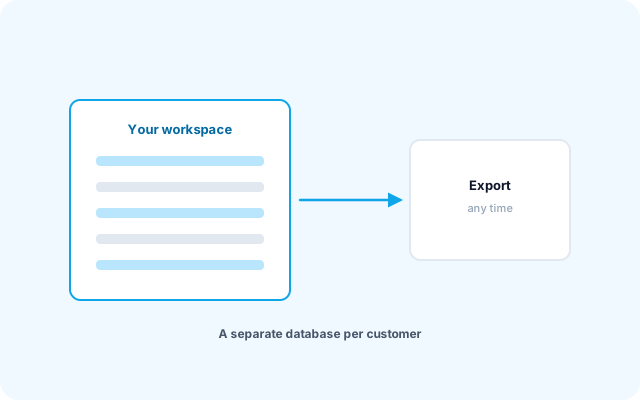
Each customer gets their own database. That is a structural separation rather than a filter somebody has to remember to apply — and a forgotten filter is how multi-tenant systems leak.
The separation reaches past the tables: caches and document sequence numbers are isolated per company too, because a boundary only holds if it covers every path. We audit it rather than assume it.
- One database per customer
- An export you can take at any time
- Daily backups on every plan
How access is controlled
Permissions enforced on the server
Per screen and per action, grouped into roles you define. Hiding a button is not security — the request is refused whether or not the button was there.
Branch scoping
A user can be limited to the branch they work in, and a sales rep to their own customers. That is a filter applied in the query, not in the interface.
No password ever reaches us
Signing up never asks for one. The system generates a password, and you set your own through a single-use link.
An audit trail with values
Who changed what, when, and the values before and after. A posted document is corrected with an entry rather than edited in place, which is the distinction an auditor is asking about.
Attendance you can trust
Geofenced sites, enrolled devices, and punch evidence scored on the server. The server never trusts a verdict the handset reports about itself.
Your data stays yours
Every list exports, and a full database export is available on request. Ask for one during the trial and see your complete data in your own hands.
Security you can verify during your trial
Five checks to run in your own workspace before you decide:
Ask for a full export of your workspace and open it.
Sign in as a user with a narrow role and open a screen outside it. The server refuses the request.
Limit a user to one branch and confirm that the other branches stay out of reach.
On Professional and above, change a figure and read the audit trail: the user, the time, and the values before and after.
Read the signup form. It never asks for a password, so yours never reaches us.
Behind all five sits a separate database for your company, backed up daily.
Security questions
Is our data separate from other customers?
Yes — a separate database per customer, not a shared table with a company column. That is a structural separation rather than a filter somebody has to remember to apply.
How fine-grained are the permissions?
Per screen and per action — view, add, edit, delete — grouped into roles you define, with branch scoping on top. A user can be limited to their own records where that makes sense, such as a sales rep seeing their own customers.
Who can see our passwords?
Nobody, including us. Signing up does not ask for a password at all — one is generated and you set your own through a single-use link.
How often is it backed up?
Daily, on every plan. Ask us about restore testing if that matters to you — a backup nobody has restored from is a hope rather than a backup, and it is a fair question to ask of any vendor.
Your data
Can we get our data out?
Yes, at any time and without asking. Every list exports, and a full database export is available on request. Ask for one during the trial: it is the cheapest way to find out whether you could ever leave.
Where is our data stored?
In the cloud, in a database that belongs to your company alone, backed up daily. If your sector or your procurement policy sets a data-residency requirement, tell us where the data must be held. The Custom plan also covers installing the system on your own server.
Does it really work in Arabic?
Yes, and the test is not the menus — it is a printed invoice, a customer statement, and a report containing a long Arabic name next to a number.
Arabic is the default language, not a translation layer added afterwards. PDFs are generated with a font that shapes Arabic correctly, and numbers and document codes stay left-to-right inside right-to-left text, which is where most systems break.
Ask us the hard questions
If your IT team has a checklist, send it. You get a direct answer to every point.